
Changelog.
Performance
- The file tree for Notes, Templates, and Changelog now renders and scrolls more smoothly:
- Navigation via scrolling or keyboard is faster and more responsive.
- It uses fewer system resources.
- Workspace Search now renders search results more efficiently, even when the list is extremely large.
Typography Settings
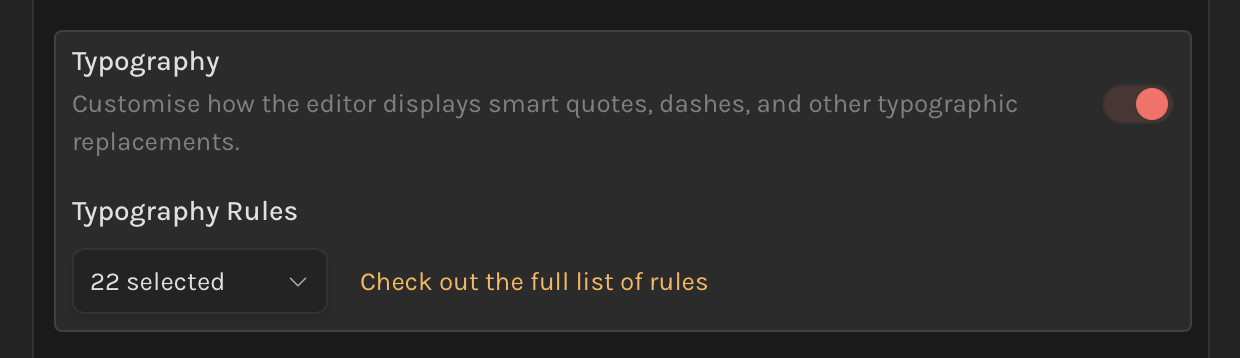
- In
Settings → Editor, you'll now find a dedicated Typography section. You can disable all typography enhancements (such as refined display for copyright symbols, trademarks, fractions, emdashes, etc.) or choose to enable only the specific ones you prefer.
Improvements
- Workspace Search
- The Recently Searched list is now accessible via the keyboard. Press
DownArrowto focus on the list, then pressEnterto re-run a search. - You can navigate search results with the keyboard without needing to press
Tabfirst. Simply pressDownwhile the search box is focused.
- The Recently Searched list is now accessible via the keyboard. Press
- The settings sidebar automatically collapses on smaller screens, displaying a breadcrumb trail that shows the current setting.
- Added keyboard shortcuts to jump between headers: use
Cmd + Option + Up/Downto quickly navigate.
Fixes
- Fixed the inconsistent widths of settings cards.