
Changelog.
Natural Language Date Parsing
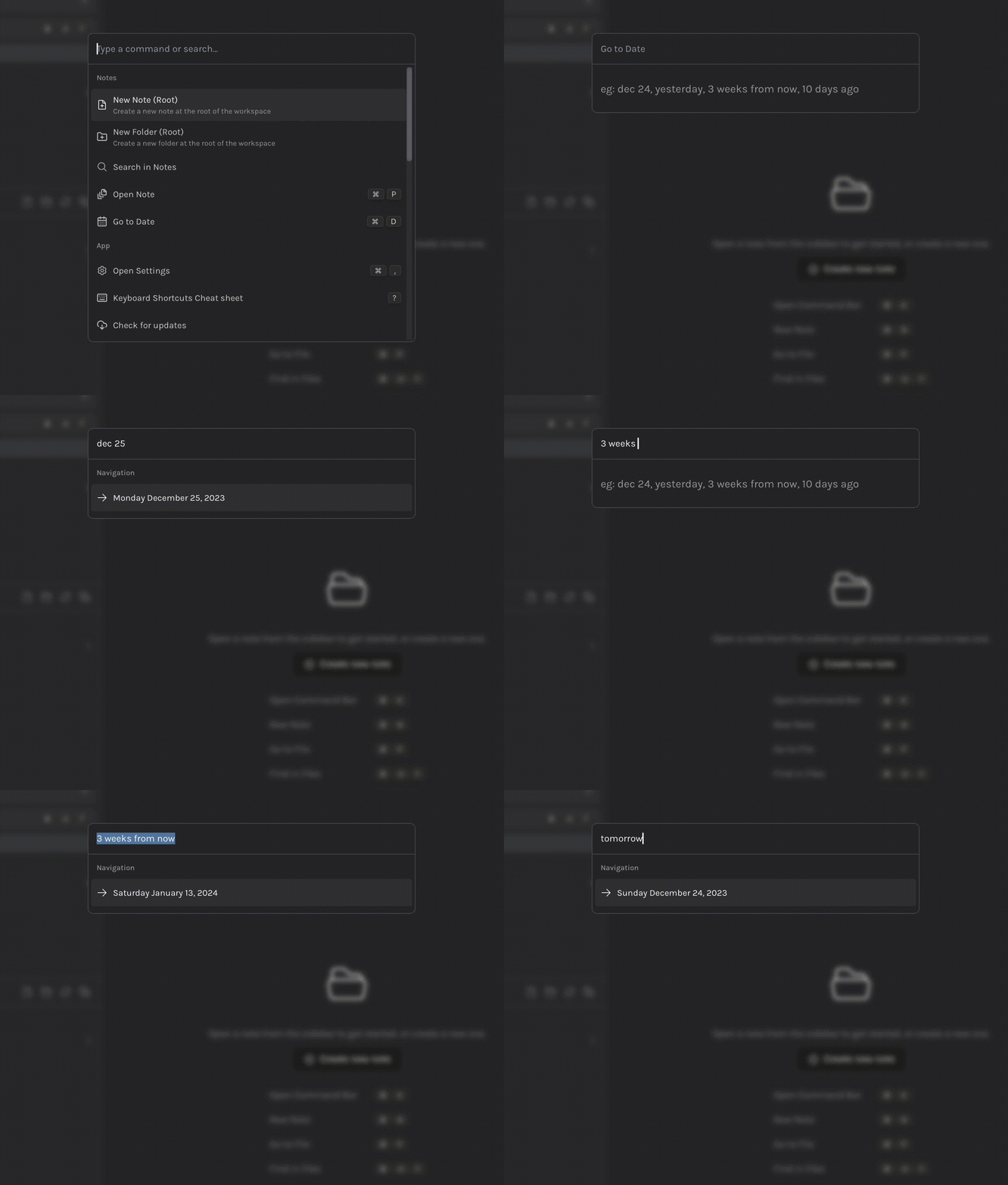
- Command Bar now contains a Go to Date (
⌘ + D) that allows you to go to any date inside Daily Desk using natural language. Some examples below:dec 215 March, 2023two days from now3 weeks agotomorrow/yesterday/today
Recently Viewed
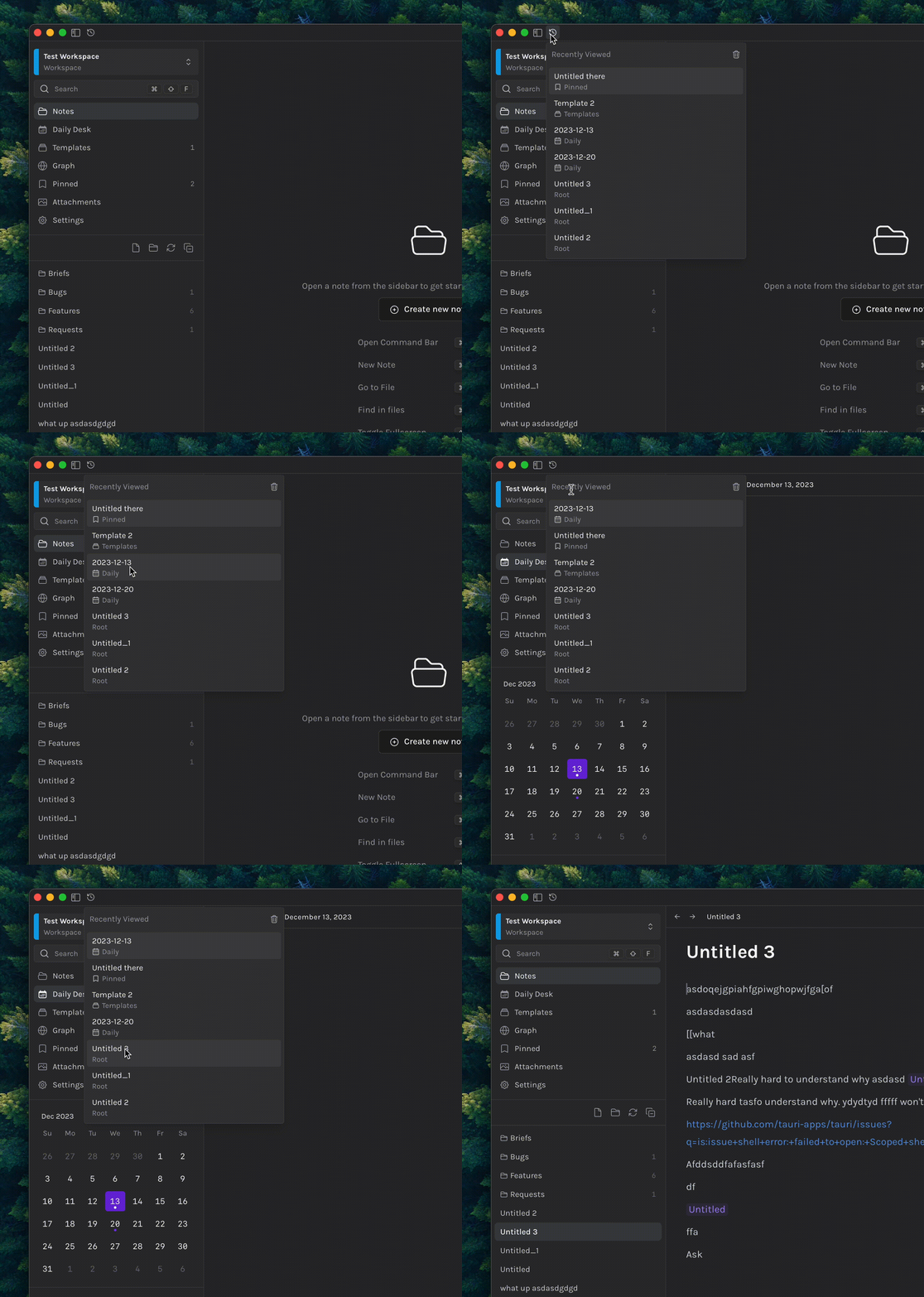
- Quick access the last 10 viewed files across
Notes/Templates/Pinned/Daily Desk - Accessible via the icon on the top-left, via
⌘ + Yor the Command Bar (search for Recently Viewed) - Keyboard Accessible ( Up/Down arrows to navigate,
Enterto go to file)
Improvements
- DocLink and Meta now show a formatted date for Daily Desk Links
- Shortcut displays style improved.
- Remove
Newtag from Graph View. Renamed toGraphand fixed icon stroke. - Removed hovering on graph view reducing the opacity of the rest.